Skip to content
View in the app

A better way to browse. Learn more.

ComicBase User Community

A full-screen app on your home screen with push notifications, badges and more.

To install this app on iOS and iPadOS
  1. Tap the Share icon in Safari
  2. Scroll the menu and tap Add to Home Screen.
  3. Tap Add in the top-right corner.
To install this app on Android
  1. Tap the 3-dot menu (⋮) in the top-right corner of the browser.
  2. Tap Add to Home screen or Install app.
  3. Confirm by tapping Install.

Jeremy Roby

Members
  • Joined

  • Last visited

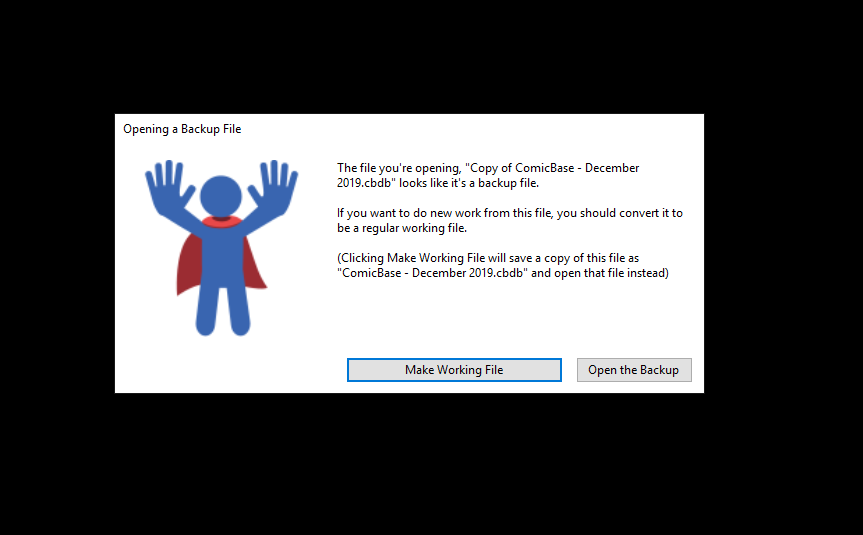
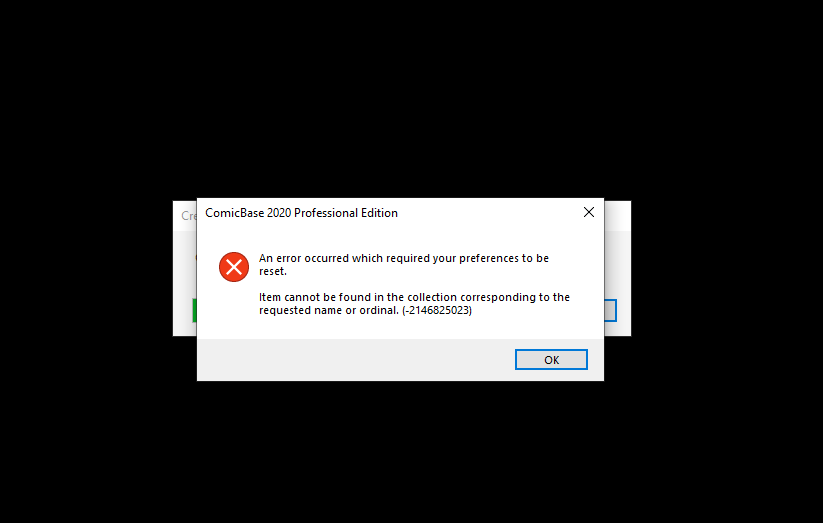
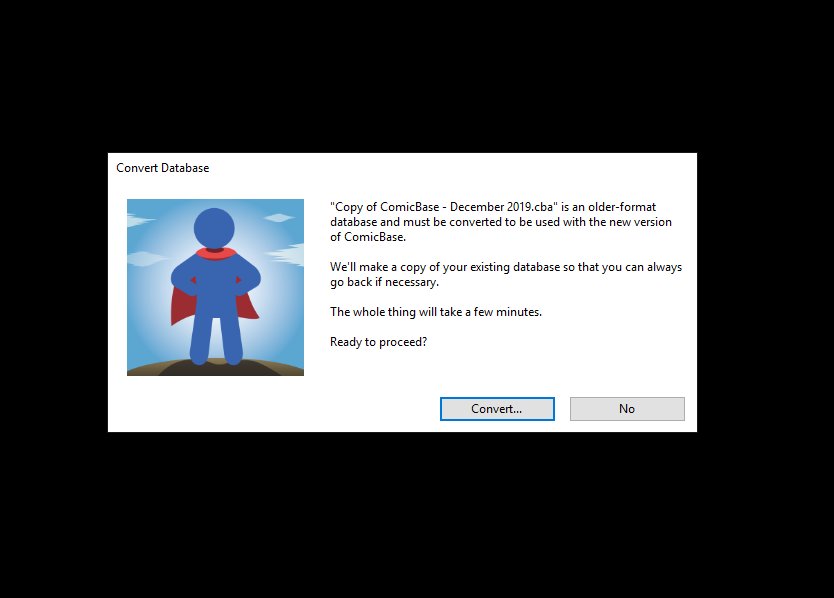
  1. Hi All, I just got a copy of the ComicBase 2020 Upgrade for Christmas. While I can get the new software to install, whenever I try to convert my old database to the new format I keep getting the errors below. I'm converting from ComicBase 9 software, which i know is pretty old, but my wife said she checked that it COULD be updated without any issues to the new version. I've put a lot of time and effort into my old database and starting from scratch with the new one would devastating! Any ideas on how to get this conversion to work? I'm on a Windows 10 operating system, FYI. Thanks, Jeremy

Account

Navigation

Search

Search

Configure browser push notifications

Chrome (Android)
  1. Tap the lock icon next to the address bar.
  2. Tap Permissions → Notifications.
  3. Adjust your preference.
Chrome (Desktop)
  1. Click the padlock icon in the address bar.
  2. Select Site settings.
  3. Find Notifications and adjust your preference.